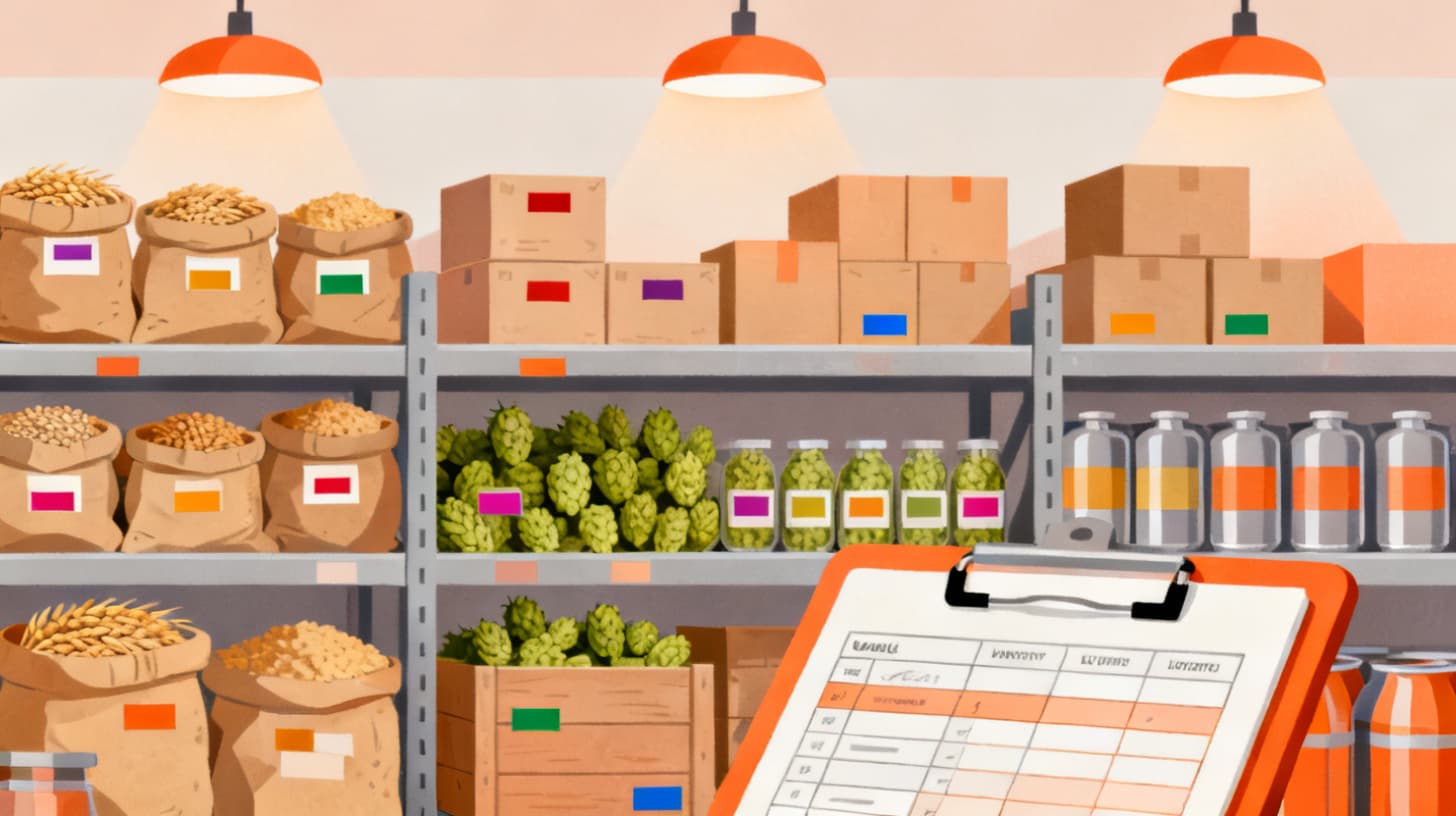
Closing the books at the end of the month shouldn't feel like an archaeological dig through spreadsheets, tank logs, and receipt folders. But for many brewery owners and operators, that's exactly what it becomes. You spend days reconciling grain invoices against batch records, cross-referencing taproom sales with finished goods inventory, and scrambling to make sure your Brewer's Report of Operations (BROP) numbers actually match reality.
The problem isn't that you lack data. It's that your data lives in five different places, none of which talk to each other. Your batch records sit in one system, your inventory counts in another, your accounting software handles the dollars, and your TTB reporting gets pieced together from all of the above.
A solid month-end close process connects three pillars: batch-level cost of goods sold (COGS), real-time inventory reconciliation, and TTB compliance reporting. When these three systems feed each other cleanly, closing the month takes hours instead of days. And you actually trust the numbers you're looking at.
Whether you're doing 500 barrels a year or 15,000, the mechanics are the same. Let's break down exactly how to build a month-end close workflow that gives you accurate financials, keeps you compliant, and frees up your time for running the brewery. If you're already tracking raw materials and finished goods with brewery inventory management software, you're ahead of the game. If not, this guide will show you where to start.
Connecting Batch Records to True Cost of Goods Sold
COGS is the number that tells you whether you're actually making money on each beer you sell. It sounds straightforward, but calculating it accurately at a brewery is surprisingly tricky. You're not just buying a widget and reselling it. You're transforming raw materials through a multi-stage production process, losing volume along the way, and splitting output across kegs, cans, and taproom pours.
The foundation of accurate COGS is the batch record. Every brew day generates a bill of materials: the grain, hops, yeast, water additions, and adjuncts that went into that specific batch. If you're not capturing these inputs at the batch level, your COGS calculation is essentially a guess. You might know roughly what you spent on malt last month, but you won't know what it cost to produce a barrel of your IPA versus your stout.
Step 1: Capture Material Usage Per Batch
Start by recording the actual quantities of every raw material consumed during each brew. This means weighing grain, logging hop additions, and tracking yeast pitches. Don't rely on recipe targets alone. Actual usage varies from brew to brew based on efficiency, substitutions, and process changes.
For each batch, your material cost calculation looks like this:
When you sum grain cost, hop cost, yeast cost, and any adjuncts or water chemistry additions, you get the direct material cost for that batch. If your 10-barrel IPA batch consumed 400 lbs of base malt at $0.55/lb, 15 lbs of specialty malt at $0.85/lb, 8 lbs of hops at $12/lb, and a yeast pitch at $35, your direct material cost is $360.75.
Step 2: Allocate Overhead and Labor
Direct materials are only part of the picture. Your COGS should also include direct labor (brewer time for that batch) and manufacturing overhead (utilities, equipment depreciation, cleaning chemicals). Many breweries allocate overhead on a per-barrel or per-brew basis.
A practical approach: calculate your total monthly brewing overhead, divide by the number of barrels produced that month, and apply that rate to each batch based on its output volume. If your monthly overhead runs $8,000 and you produced 200 barrels, your overhead allocation is $40 per barrel.
Step 3: Track Yield Loss Through the Process
Here's where many breweries get their COGS wrong. You brewed 10 barrels into the fermenter, but after trub loss, yeast harvesting, and transfer losses, you packaged 9.2 barrels. Your cost per sellable barrel is higher than your cost per brewed barrel. Always calculate COGS based on packaged output, not brewhouse volume.
For a deeper dive into this calculation, including how to account for dry hop losses, tank-to-tank transfers, and sample pulls, check out how to calculate true cost per batch in your brewery.
At month end, your close process should include reviewing every batch that completed packaging during the period, confirming material costs against actual invoices, and posting the COGS entries to your general ledger. When batch records are tied directly to inventory transactions, this reconciliation becomes a verification step rather than a construction project.
Building an Inventory Reconciliation Workflow That Holds Up
Inventory is where month-end close processes fall apart most often. Raw materials come in throughout the month, get consumed across multiple batches, and the quantities on your shelves rarely match what your spreadsheet says. Finished goods move from bright tanks to the packaging line to the warehouse to distributor trucks, with plenty of opportunities for counts to drift.
The goal of month-end inventory reconciliation isn't perfection. It's catching and correcting discrepancies before they compound. A 2% variance in your grain inventory this month becomes a 6% variance next quarter if you don't address it.
Step 3: Reconcile Raw Materials
Start with your highest-value and highest-volume raw materials. For most breweries, that means base malt, specialty grains, and hops. Your reconciliation follows a simple formula:
Line ItemCalculationBeginning InventoryLast month's ending count+ Purchases ReceivedQuantities from receiving logs- Production UsageQuantities consumed per batch records- Waste/SpoilageDocumented losses= Expected Ending InventoryCalculated balanceActual Physical CountWhat you count on the shelfVarianceExpected minus Actual
If your variance exceeds a threshold you're comfortable with (many breweries use 2-3% for grain and 5% for hops), investigate. Common culprits include unrecorded batch substitutions, receiving errors where the delivered quantity didn't match the PO, or simple measurement inconsistencies.
For hops specifically, track by lot number when possible. Hop alpha acid content varies by lot, which affects both recipe formulation and the value sitting in your inventory. A pound of 14% AA Centennial is worth more than a pound of 10% AA from a different lot, and blending them into a single inventory line obscures both your costs and your recipe consistency.
Step 4: Reconcile Finished Goods and Work-in-Process
Finished goods reconciliation means accounting for every package format (kegs, cases, cans) that was produced, sold, transferred, returned, or dumped during the month. Work-in-process (WIP) includes beer that's still in tanks, whether fermenting, conditioning, or waiting to be packaged.
Your finished goods reconciliation should look like:
- Beginning inventory (kegs, cases by SKU)
- + Packaged during the month (from packaging run records)
- - Sold/distributed (from sales orders and invoices)
- - Taproom pours (from POS system, converted to package equivalents)
- - Samples, donations, and dumps (from internal logs)
- = Expected ending inventory
- Physical count (what's actually in the cooler and warehouse)
WIP valuation is trickier. Beer sitting in a fermenter has consumed raw materials and labor but hasn't been packaged yet. At month end, you need to assign a value to that in-process inventory. The simplest method: apply the material cost and a proportional share of labor/overhead based on the production stage. A beer that's finished fermenting and waiting for packaging is closer to full cost than a beer that was just brewed yesterday.
All of this becomes dramatically easier when your inventory management system automatically tracks stock movements tied to production events, receiving logs, and sales orders. Instead of rebuilding the picture from scratch each month, you're simply verifying what the system already recorded.
Aligning Your Close Process with TTB Reporting Requirements
Every brewery operating in the United States is required to file reports with the Alcohol and Tobacco Tax and Trade Bureau (TTB). The primary report, the Brewer's Report of Operations (BROP, TTB Form 5130.9), accounts for all beer produced, transferred, sold, and lost during the reporting period. Depending on your volume and tax status, you may file monthly or quarterly, and your excise tax payments follow a related schedule.
The TTB outlines specific requirements for brewery operations that define what you need to track and report. The good news is that if your month-end close already reconciles batch production and inventory, you've done most of the TTB reporting work. The bad news is that the TTB uses barrels as its unit of measure, and many breweries track production in different units internally, creating a translation step that introduces errors.
Step 5: Reconcile Production in Barrels
Your BROP requires you to report:
- Beer produced (total barrels brewed and entered into the cellar)
- Beer transferred (to other premises, distributors, or export)
- Beer sold for consumption on premises (taproom sales)
- Beer removed for samples, tastings, or destruction
- Beer on hand at end of period (in all tanks, packages, and storage)
The most common error in BROP filing is inconsistency between your production records and your inventory records. If your batch records say you brewed 85 barrels this month, your inventory movements should account for where those 85 barrels went. Some are in finished goods, some are still in tanks (WIP), and some were lost to process.
Build a reconciliation table that maps directly to BROP line items:
BROP LineSource DataYour RecordsBeer ProducedBrewhouse logsSum of batch volumes entering fermentationRemoved for Consumption/SaleSales records + taproom POSKeg/case/can sales + taproom poursRemoved — Tax FreeExport/sample logsDocumented samples, tastings, exportsLossesWaste/dump logsDocumented tank dumps, spoilage, breakageOn Hand — End of PeriodInventory countAll tanks (WIP) + packaged inventory
When your production system, inventory records, and sales data all feed the same dataset, populating this table is straightforward. When they don't, you're spending hours manually cross-referencing to make sure everything balances.
Step 6: Tie Excise Tax Liability to Your Financial Close
Excise tax is a real cost that belongs in your COGS or as a separate line item on your income statement. For breweries producing under 60,000 barrels annually, the reduced federal excise tax rate applies to the first 60,000 barrels. Regardless of your rate, the tax liability should be accrued monthly based on actual taxable removals, not estimated or deferred until the payment date.
At month end, calculate your taxable removals (beer removed from the brewery for sale or consumption), apply the appropriate rate, and book the accrual. This ensures your monthly P&L reflects the true cost of production and sales, and you're not surprised by a large tax payment that wasn't reflected in your financials.
Breweries that use integrated management software connecting batch scheduling, inventory, and sales data can generate most of this reporting automatically. The month-end close becomes a review and approval process rather than a data assembly project.
Putting It All Together: Your Month-End Close Checklist
A repeatable checklist turns month-end close from an ad hoc scramble into a predictable routine. The order matters. You want to close out upstream data (purchases, production) before reconciling downstream data (inventory, sales, COGS) and then preparing compliance reports last, since they depend on everything above.
Here's a practical checklist you can adapt to your brewery:
- Receive and enter all outstanding invoices — Make sure every raw material delivery, contract brewing invoice, and supply purchase from the month is recorded
- Finalize all batch records — Confirm actual material usage, yields, and packaging quantities for every batch completed during the month
- Reconcile raw material inventory — Compare expected ending inventory against physical counts for grain, hops, yeast, and packaging materials
- Reconcile finished goods inventory — Verify keg, can, and bottle counts against packaged output minus sales and removals
- Value work-in-process inventory — Assign costs to beer still in fermenters, bright tanks, or conditioning
- Calculate batch-level COGS — Post material, labor, and overhead costs for all batches that were sold during the period
- Reconcile sales and distribution records — Confirm that invoiced sales match shipped quantities and inventory reductions
- Prepare BROP data — Map production, removals, losses, and ending inventory to TTB reporting lines
- Accrue excise tax liability — Calculate and book federal and state excise tax based on taxable removals
- Review and post journal entries — Enter all COGS, inventory adjustment, and tax accrual entries into your general ledger
- Run variance analysis — Flag any inventory variances, unusual COGS fluctuations, or BROP discrepancies for investigation
This entire process should take a brewery owner or operations manager one to two days when systems are connected and data flows automatically from production to inventory to financials. When data is siloed or manual, it can easily consume a week.
The single biggest improvement most breweries can make to their close process isn't hiring an accountant or buying expensive ERP software. It's eliminating the gaps between production data and financial data. When your batch records automatically update inventory, and your inventory feeds your COGS calculations and compliance reports, you've removed the manual translation work that eats up your time and introduces errors.
If your current process involves copying numbers between systems, emailing spreadsheets to your bookkeeper, or manually calculating barrel equivalents for your BROP, it's worth evaluating whether a purpose-built brewery management platform could consolidate those workflows. The right system doesn't just save you time at month end. It gives you financials you can actually trust when making pricing decisions, planning production, or talking to your bank.
The best month-end close is the one you barely notice because the work happened throughout the month, automatically, as part of your normal operations. Build the process, connect the data, and reclaim those lost days every month.